Lab catalog, CMS and member app
Peptex
I led the build with the Admix Lab team: a rebuilt catalog website, an admin CMS where the lab's team edits every page, product and app text, and a member app where clients book video consultations, browse the catalog, message the lab and follow a community feed. The app installs from the browser on iPhone and Android, or as a signed Android APK, with no app store in between. One Next.js app serves the website, the admin and the API behind the app.
- Client
- Peptex Lab, Atlanta, GA
- Year
- 2026
- Role
- Product and engineering lead, Admix Lab
- Status
- Live
- Platforms
- Website, Admin CMS, Member app
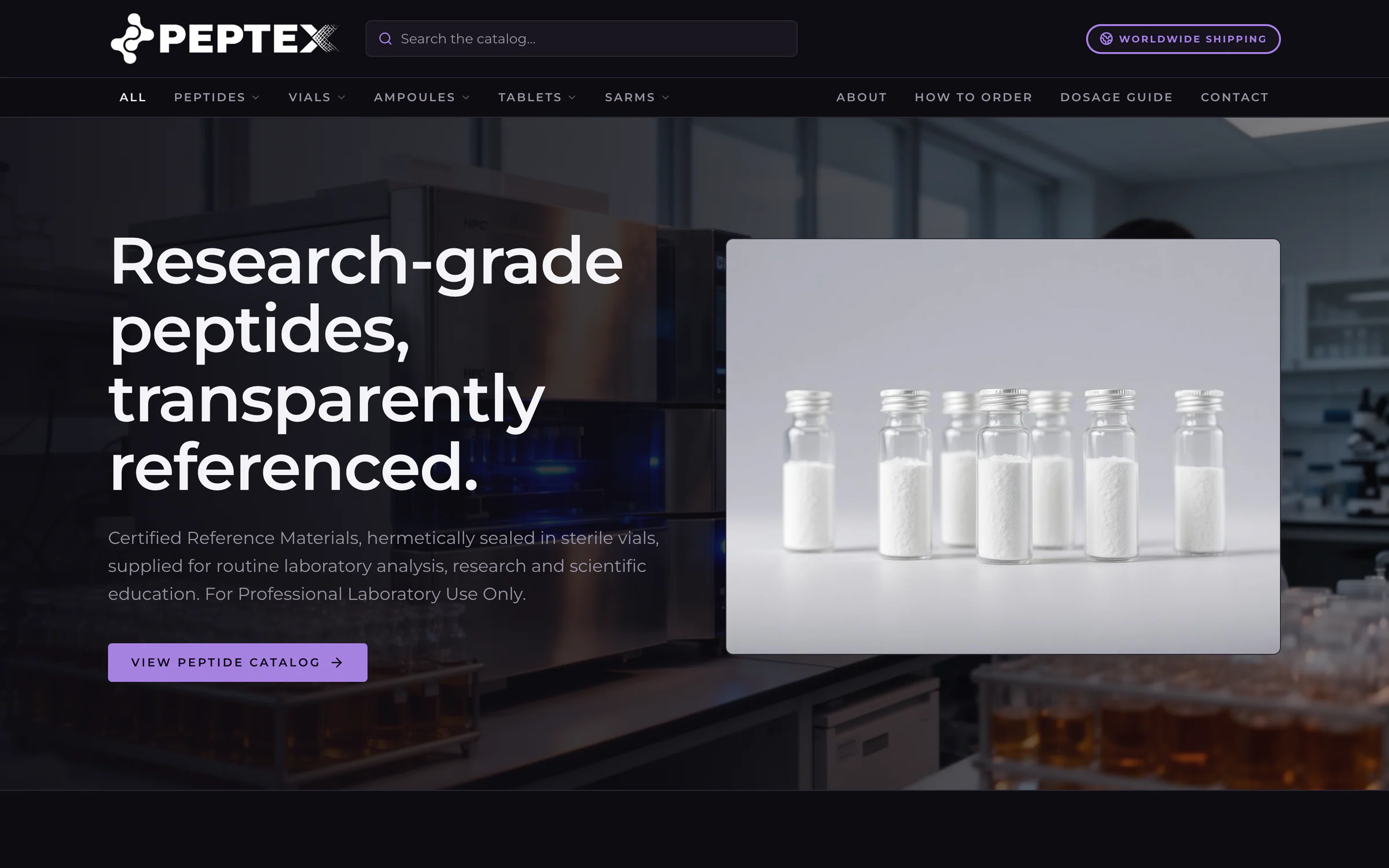
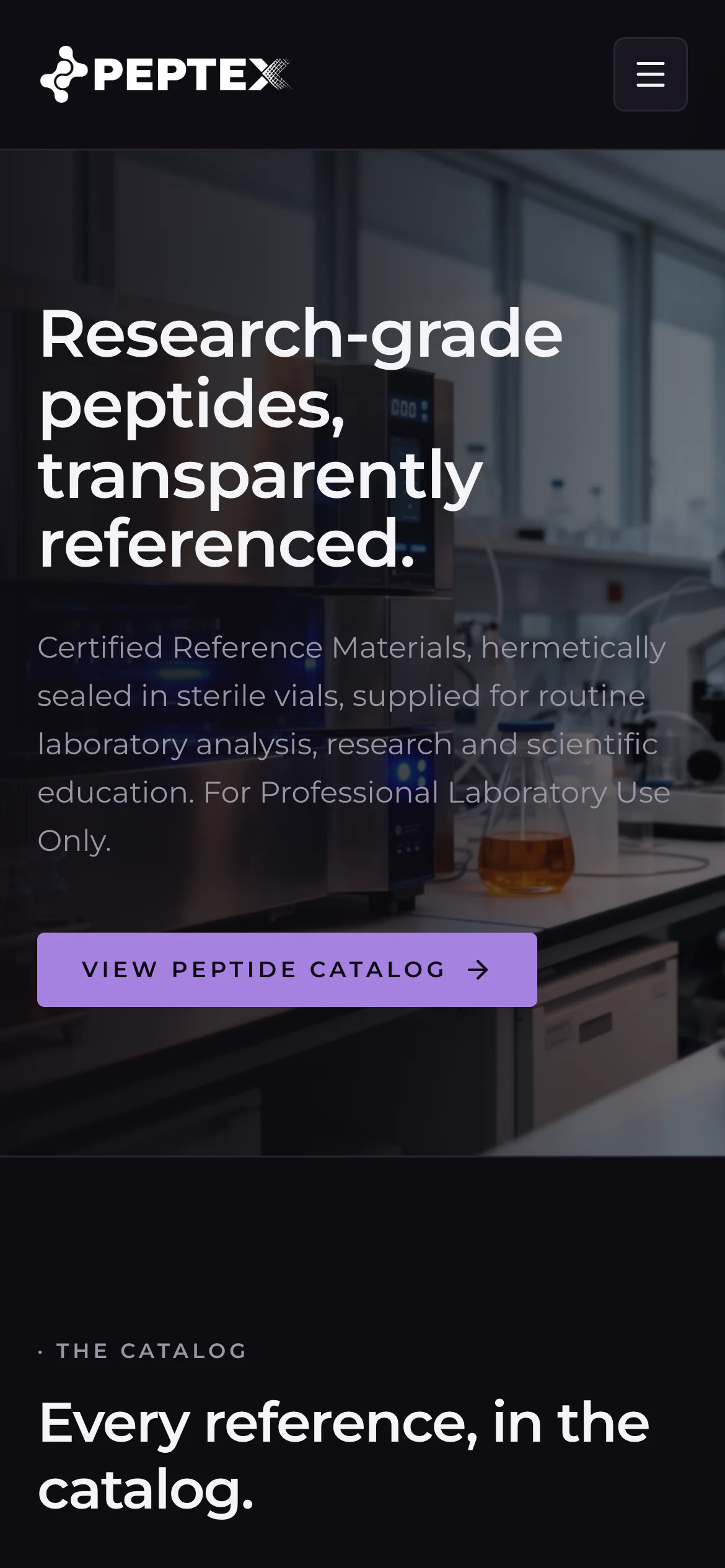
Buyers and prospective members. A rebuild of the lab's catalog website in which every text, image and list comes from the database, so the team updates it from the admin. A Get the app page walks iPhone and Android visitors through installing the member app.
- Every page of the website and every text in the app editable from the admin CMS
- Installable web app and a signed Android APK, built from one React codebase with Capacitor
- Passkey sign-in with Face ID, Touch ID or a fingerprint
- Consultation booking in the clinic's time zone, with clash checks and an automatic video room
Challenge
Peptex Lab in Atlanta had a catalog website. It wanted a site its own team could edit without a developer, and a member app where clients book video consultations, enroll in the lab's online course, message the lab and follow a community feed.
The app had to reach iPhone and Android users without App Store or Google Play accounts. Everything had to run on Vercel's serverless platform, which has no persistent disk, and members' identities had to stay private from one another.
Approach
With the Admix Lab team, I set up a pnpm monorepo with two apps. A Next.js 16 app serves the website, the 13 admin screens and 74 API route handlers on Prisma and PostgreSQL (Neon, 28 data models). The member app is a Vite and React 19 PWA, and Capacitor 8 packages the same code as a signed Android APK. Photos are compressed on the phone before upload, and uploads are stored in Postgres, because Vercel has no persistent disk.
Every text, image and list on the site and in the app, along with the catalog, the team and the consultation slots, lives in the database and is edited from the admin. Scoped API keys, stored only as hashes and never accepted by member endpoints, open the same operations to other systems.
Members sign in with a password or a passkey, and the Android app adds native biometric unlock. Each booking is checked in the clinic's time zone inside a serializable transaction, so two members cannot take the same slot, and gets its own Jitsi room with a hard-to-guess link, which the team can swap for a Meet or Zoom link. Course enrollment runs on bank transfers that the team marks as paid; Stripe Checkout with webhook confirmation is built and stays switched off until the lab adds its keys.
Impact
The website, the admin CMS and the installable web app are live on Vercel, and Android APK v1.2.0 downloads from the website. Fourteen production deployments shipped between 27 September and 7 October 2026; the first went out two weeks after the design handoff on 13 September.
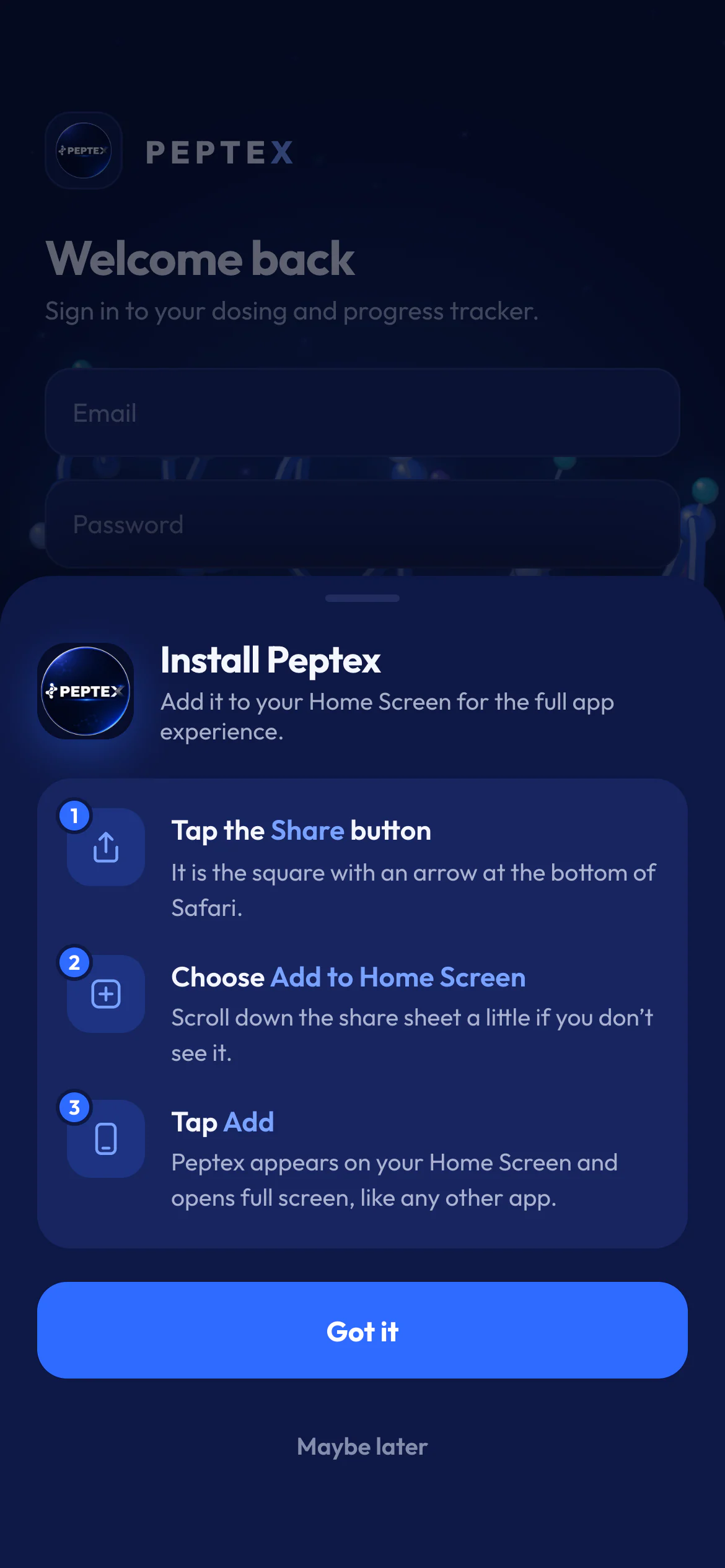
Clients can install the app on iPhone or Android without an app store, guided by the Get the app page and the in-app install sheet. The lab's team changes any text, product or consultation setting without a developer, and follows each member's bookings, messages and payments from one console.
Buyers and prospective members
Website
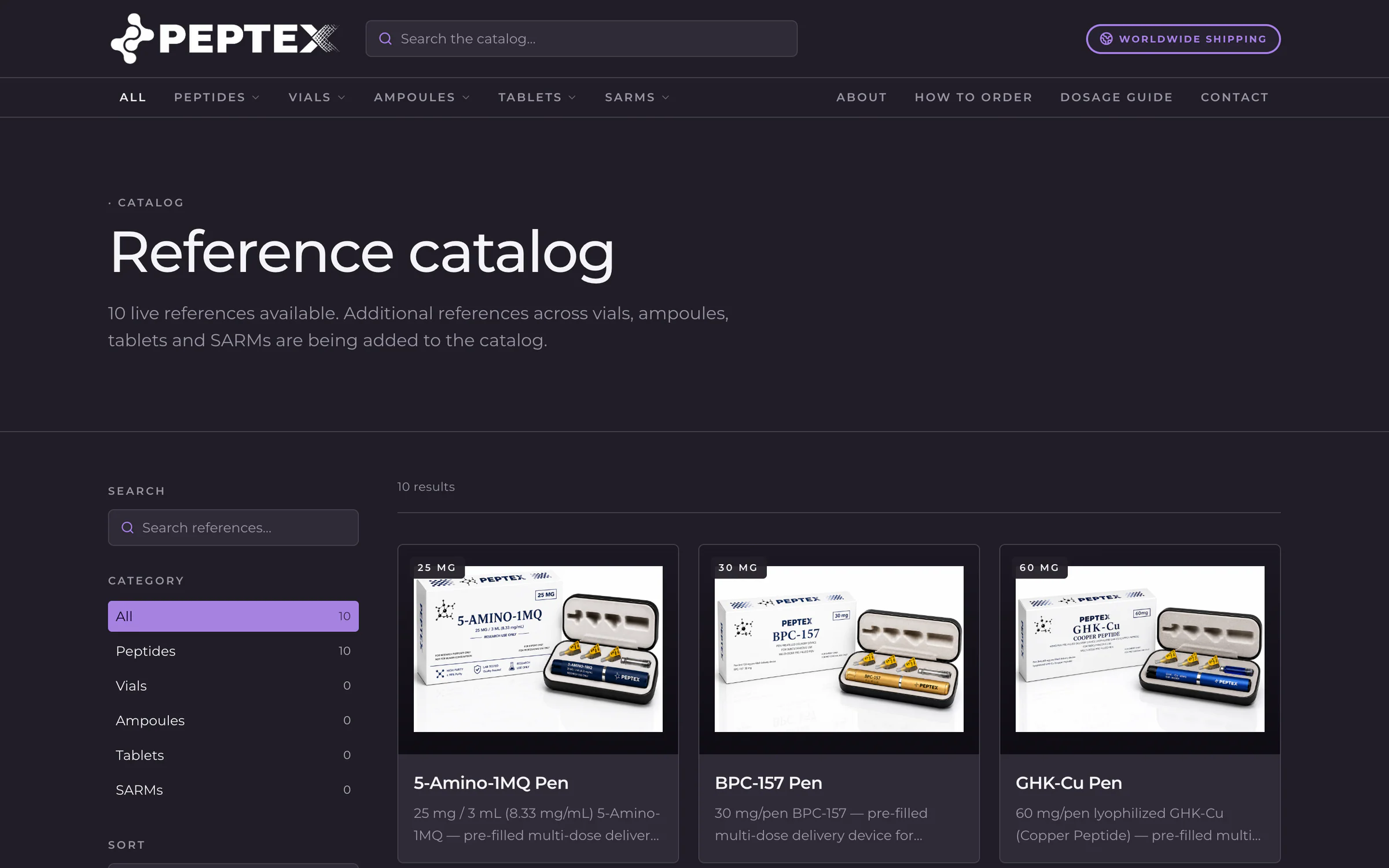
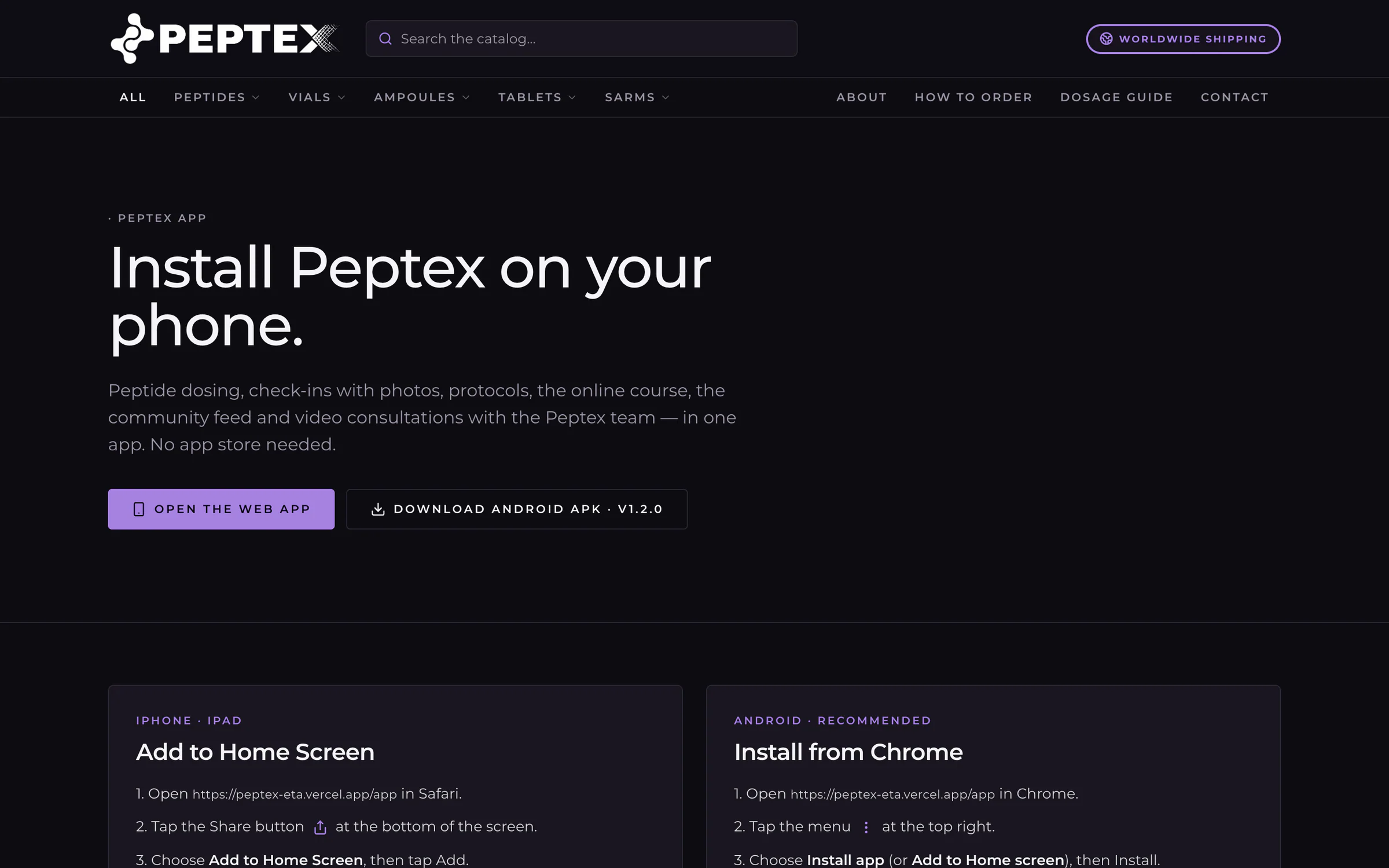
A rebuild of the lab's catalog website in which every text, image and list comes from the database, so the team updates it from the admin. A Get the app page walks iPhone and Android visitors through installing the member app.
- Catalog with search, category filter and sort
- Product pages with photo galleries and specifications, fed by the admin catalog
- Get the app page: open the web app or download the signed Android APK, with install steps for iPhone and Android
- Responsive from phone to desktop, with SEO settings and a generated sitemap
The lab's team
Admin CMS
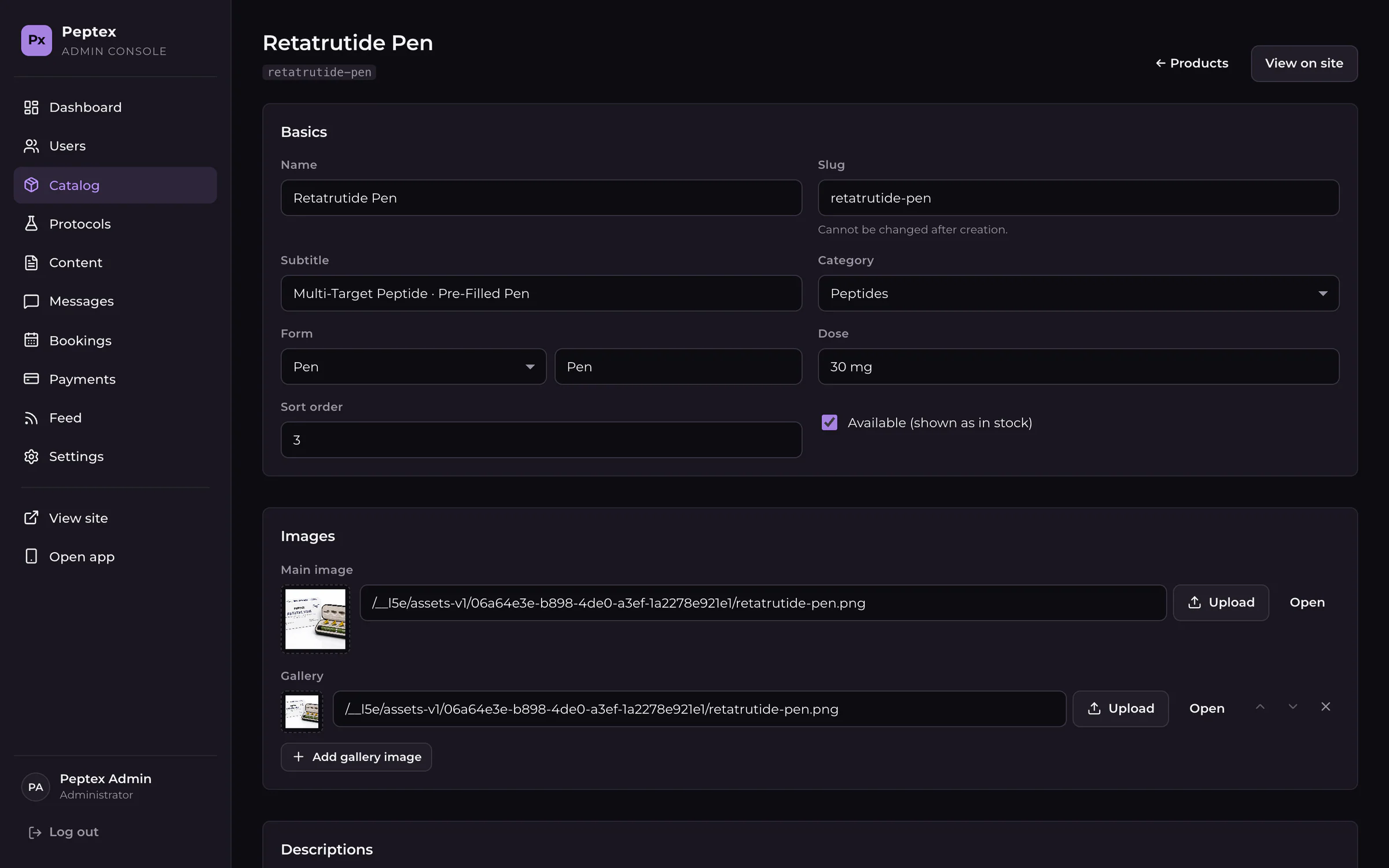
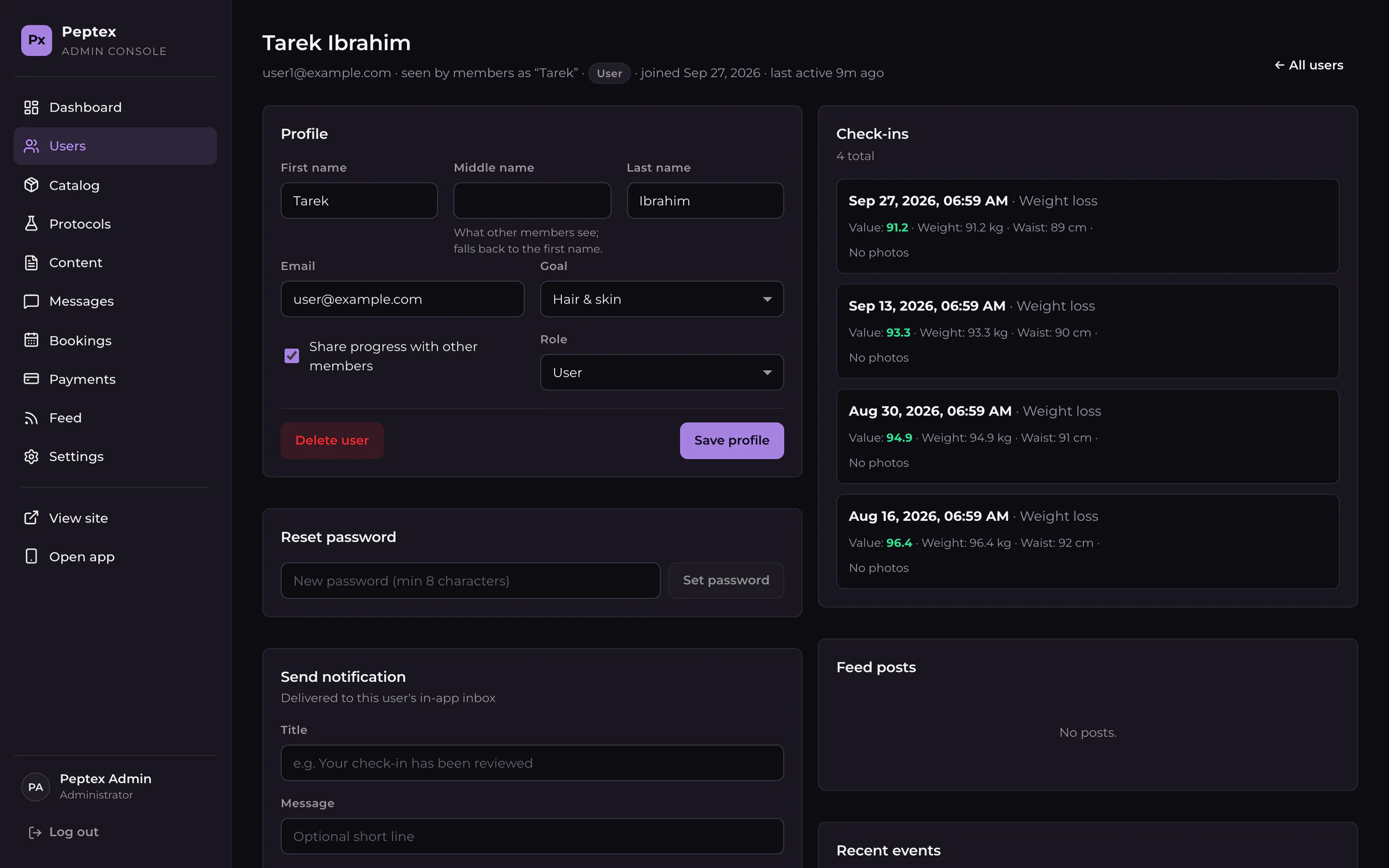
The lab's team runs the website and the app from 13 admin screens, including content for every page and app section, the catalog, members, messages, bookings, payments and the community feed.
- Content editor for every website page and app section, including the header, footer, home, catalog, about, how to order, contact, legal pages, SEO and FAQ
- Product editor with main-image and gallery uploads and an in-stock setting
- Member records with profile edits, password resets and targeted in-app notifications, plus broadcasts to all members
- API keys for other systems: shown once, stored only as a hash, read or write scope, revocable
Members
Member app
One React app that installs from the browser on iPhone and Android, and also ships as a signed Android APK. Members book video consultations, browse the catalog, message the lab and follow the community feed without going through an app store.
- Consultation booking across the next 7 days in the clinic's time zone, with server-side clash checks and a video room for every booking
- Sign-in with a password or a passkey (Face ID, Touch ID or fingerprint); the Android app locks again behind native biometrics after a minute in the background
- Products tab that reads the same catalog the team edits in the admin
- Other members only ever see a first or middle name, never a full name or email
Stack
- TypeScript
- Next.js 16
- React 19
- Prisma 6
- PostgreSQL (Neon)
- Vite 8
- Capacitor 8
- SimpleWebAuthn
- zod 4
- pnpm workspaces
- Vercel
Integrations
- Jitsi Meet
- WebAuthn passkeys
- Android biometrics
- Google Calendar and .ics