Order-ahead pickup marketplace
Barq
Barq is an order-ahead marketplace for Ras Al Khaimah: customers order from cafés, restaurants, bakeries, florists and supermarkets, then collect at the counter or from the car. I led product and engineering at Admix Lab: one API behind a customer app, a store dashboard, a website with an admin console and an Android POS for the Sunmi handheld that is built to print personalized stickers. v1 is built and pre-launch.
- Client
- Barq Technologies FZ-LLC
- Year
- 2026
- Role
- Product and engineering lead, Admix Lab
- Status
- Built, pre-launch
- Platforms
- Customer app, Store dashboard, Sunmi POS, Website
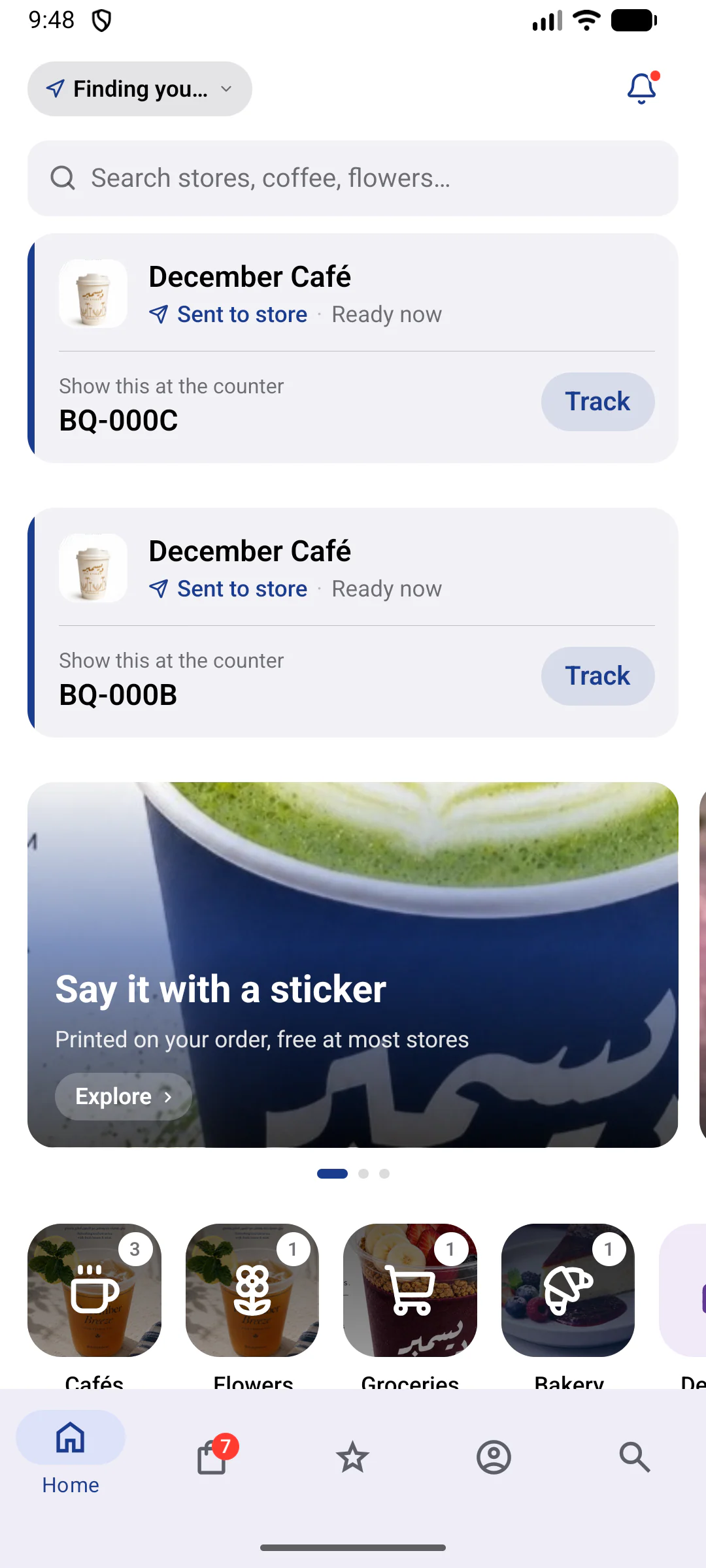
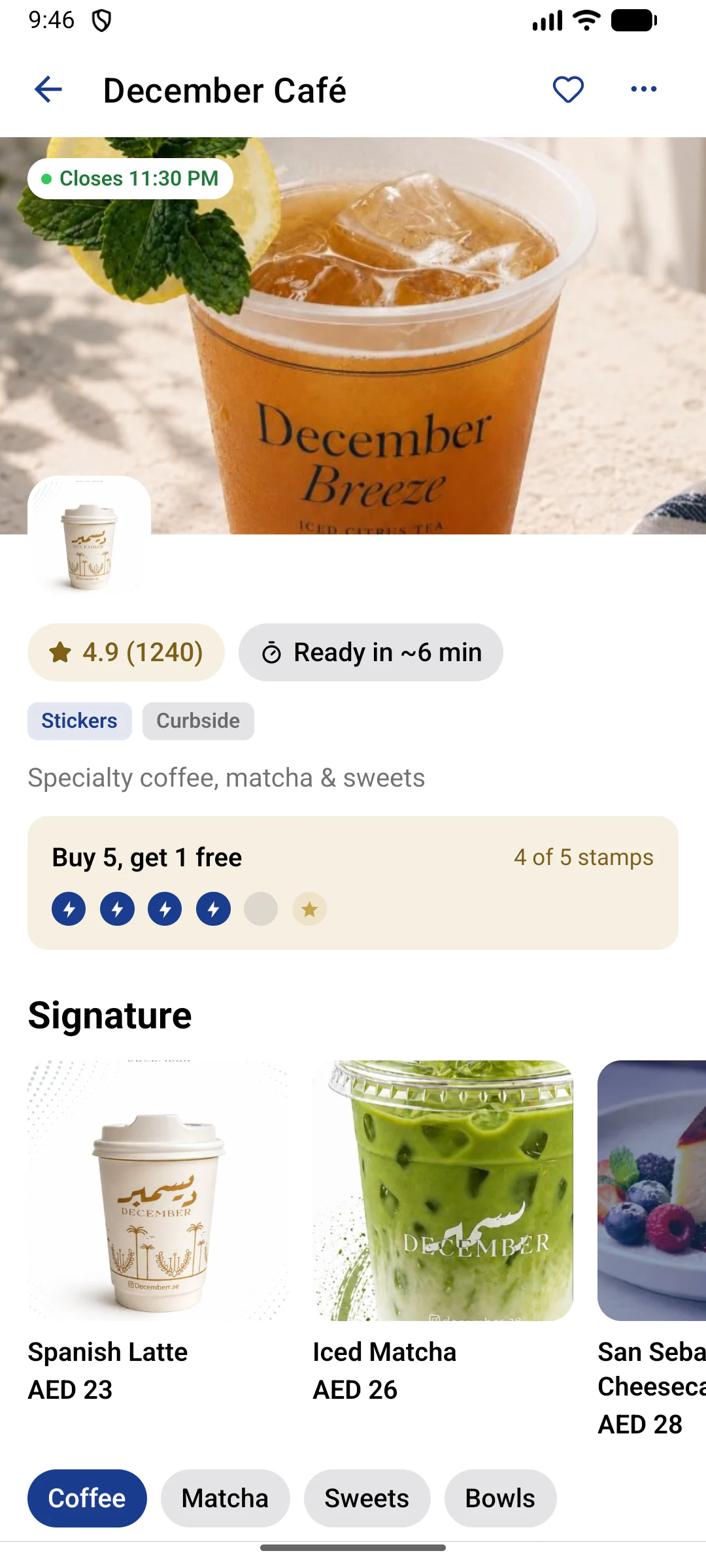
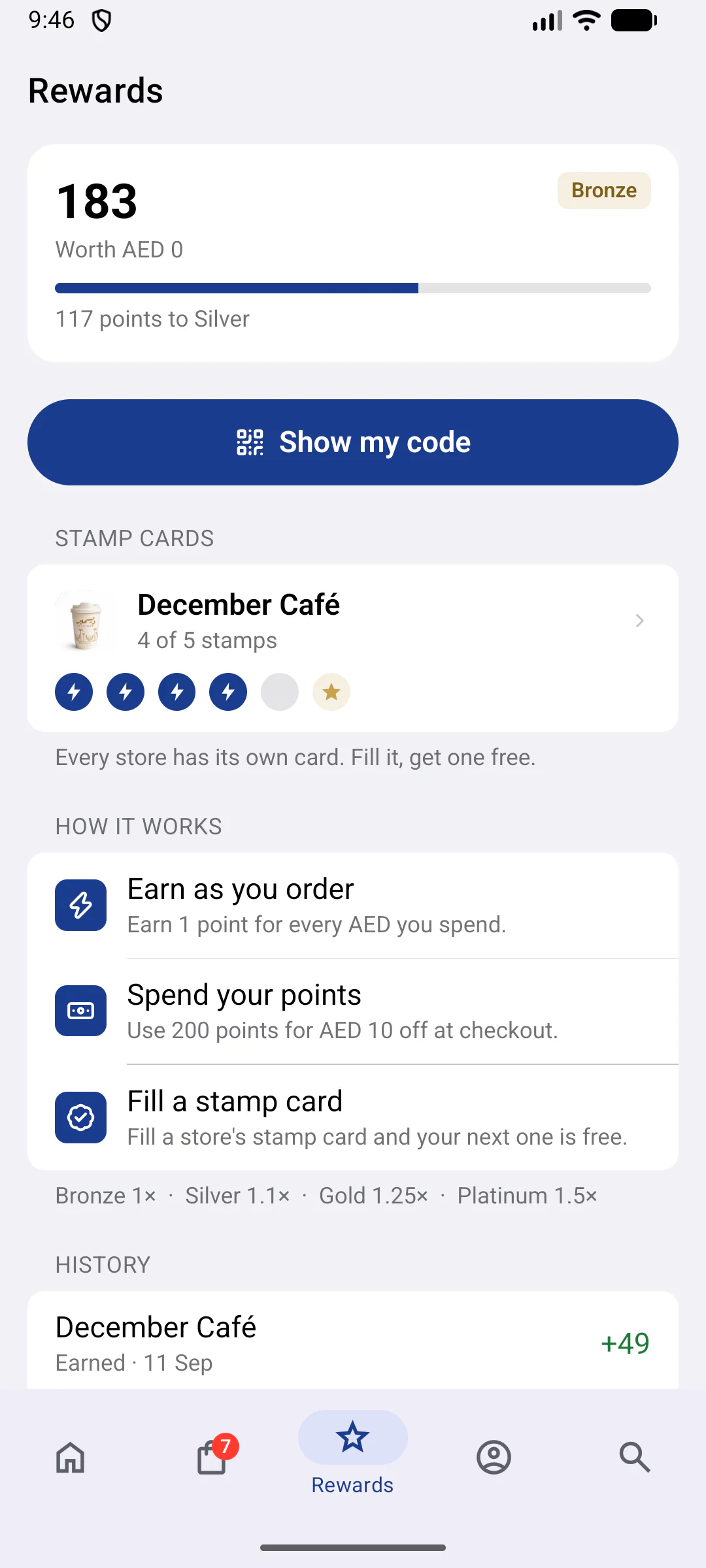
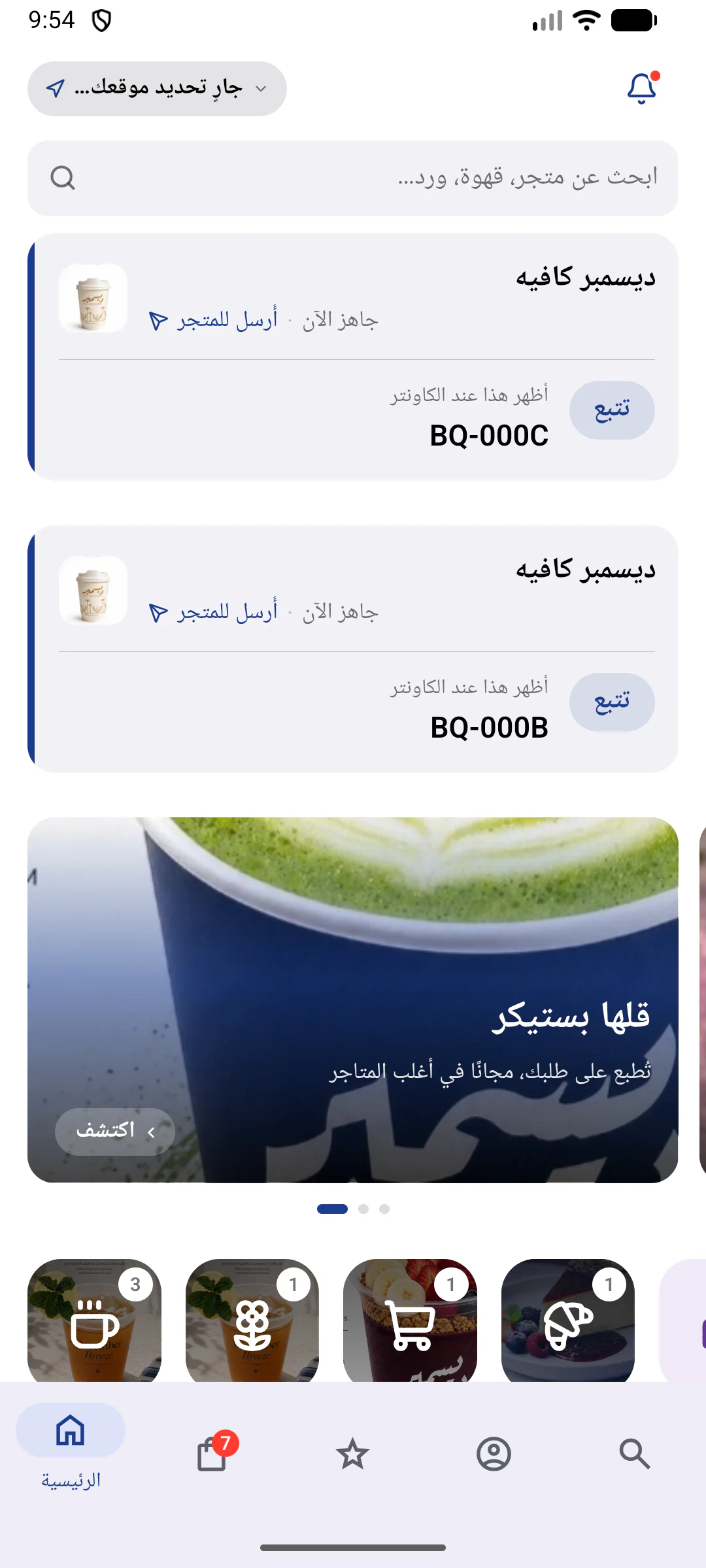
Customers. Find a nearby store, order ahead, add a sticker and collect at the counter or from the car, on iOS and Android. Stores and ratings shown are seeded demo data.
- Customer app, store dashboard, POS, website and admin console on one API, with live order updates
- 126 REST endpoints and 35 data models
- A custom Kotlin module with 11 native functions for the Sunmi printer: stickers, receipts and QR codes
- Full Arabic parity, enforced by a test: 1,220 English and 1,256 Arabic keys (Arabic adds plural forms)
Challenge
Barq set out to give neighborhood cafés, bakeries, florists and grocers in Ras Al Khaimah a pickup-first way to take orders. Its pitch to stores is short: no delivery riders, no 30% commission, no tablet farm.
That meant one product across the customer's phone, the store's dashboard and the counter hardware, in English and Arabic, with exact VAT-inclusive pricing, loyalty per store and one hook people remember: a sticker with their own message, printed at the counter.
Approach
I designed Barq as one TypeScript monorepo around a single API: Hono and Prisma on PostgreSQL, with 126 REST endpoints and a WebSocket channel for live orders that checks access on every subscription. On it, the Admix Lab team and I built the Expo customer app, an Expo store dashboard for web, iPad and phone, the Android POS and a Next.js 16 website with the admin console, then checked them screen by screen in light, dark and Arabic over two recorded design-review passes.
Money is stored as integer fils with VAT-inclusive prices, and the pricing rules live in one shared package. The server re-prices every order when it is placed and rejects a total that no longer matches. Store access comes from the caller's membership or the POS device token, never from the request body, and API tests cover that isolation. Online payment runs on Ziina's hosted checkout, with HMAC-verified webhooks. The API generates and checks its own sign-in codes and sends them by SMS through Twilio's Programmable Messaging API, with a console provider for development.
Stickers are rendered on the server as black-and-white images sized to the store's label roll. Arabic receipts are rendered on the server too, while English ones print as text, all through a Kotlin module with 11 native functions that wraps the Sunmi printer SDK. Claude drafts descriptions, translations and price suggestions into a review queue, so nothing publishes without the store's approval.
Impact
v1 is complete and pre-launch: built between 7 and 16 September 2026, not yet deployed or listed on the App Store or Google Play.
In the v1 build, customers browse, customize, add a sticker, pay online or at pickup, use curbside and earn points and stamps. Stores run orders, menus, promotions and reports from the web or a phone. Counter staff accept, print and hand over orders on the POS, and admins approve stores and manage sticker themes and campaigns.
The POS Android APK is built. Next on the roadmap is a test pass on a physical Sunmi V3 to calibrate label gaps, print density and Arabic receipt width.
Customers
Customer app
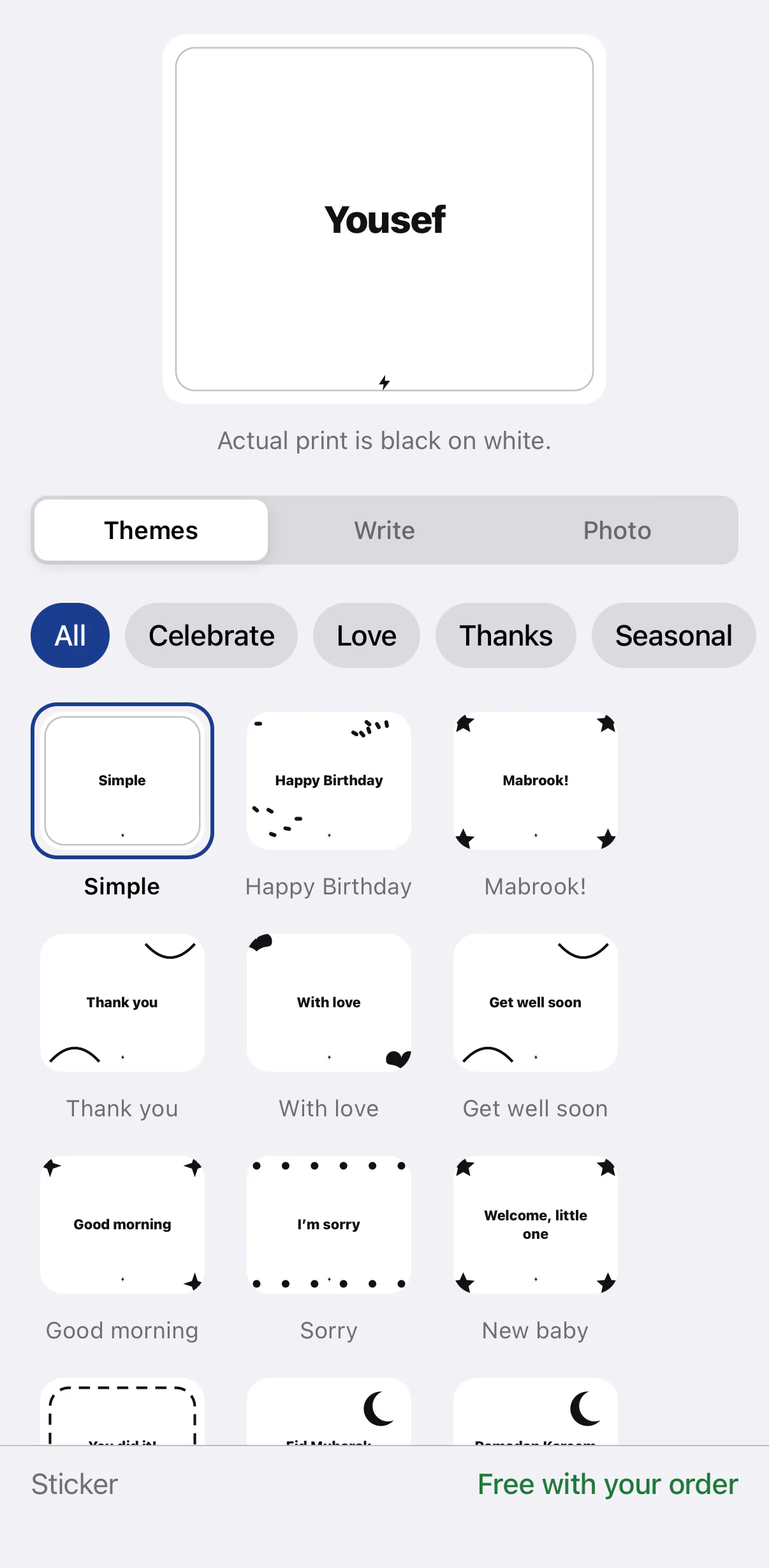
Find a nearby store, order ahead, add a sticker and collect at the counter or from the car, on iOS and Android. Stores and ratings shown are seeded demo data.
- Nearby stores by distance, with categories, search and favorites
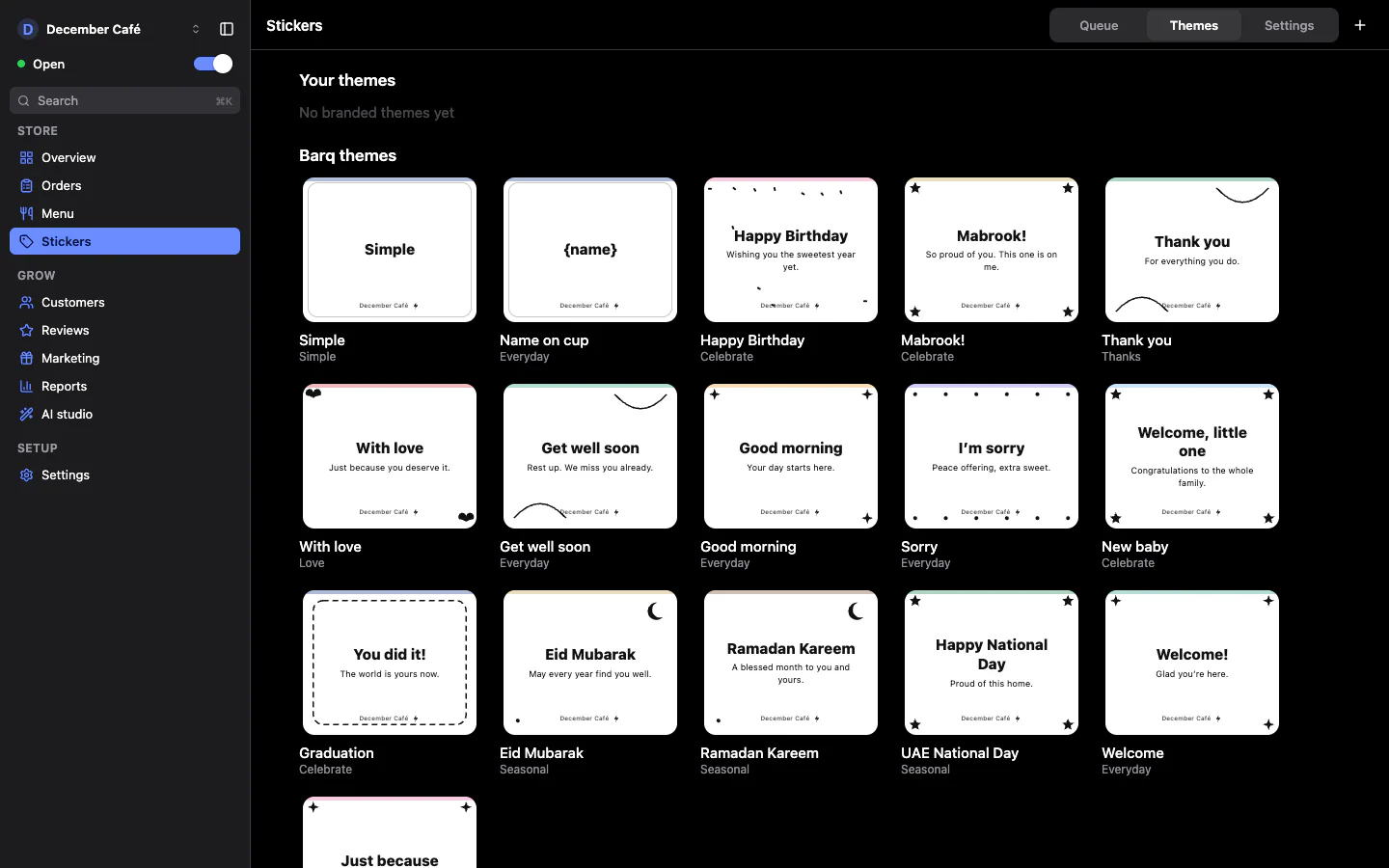
- Sticker studio: pick one of 16 themes, write a name or upload a photo
- Pickup or curbside, now or scheduled; pay by card or Apple Pay on Ziina's hosted checkout, or at pickup
- Live order tracking, points across four tiers and a stamp card for every store
Store owners and staff
Store dashboard
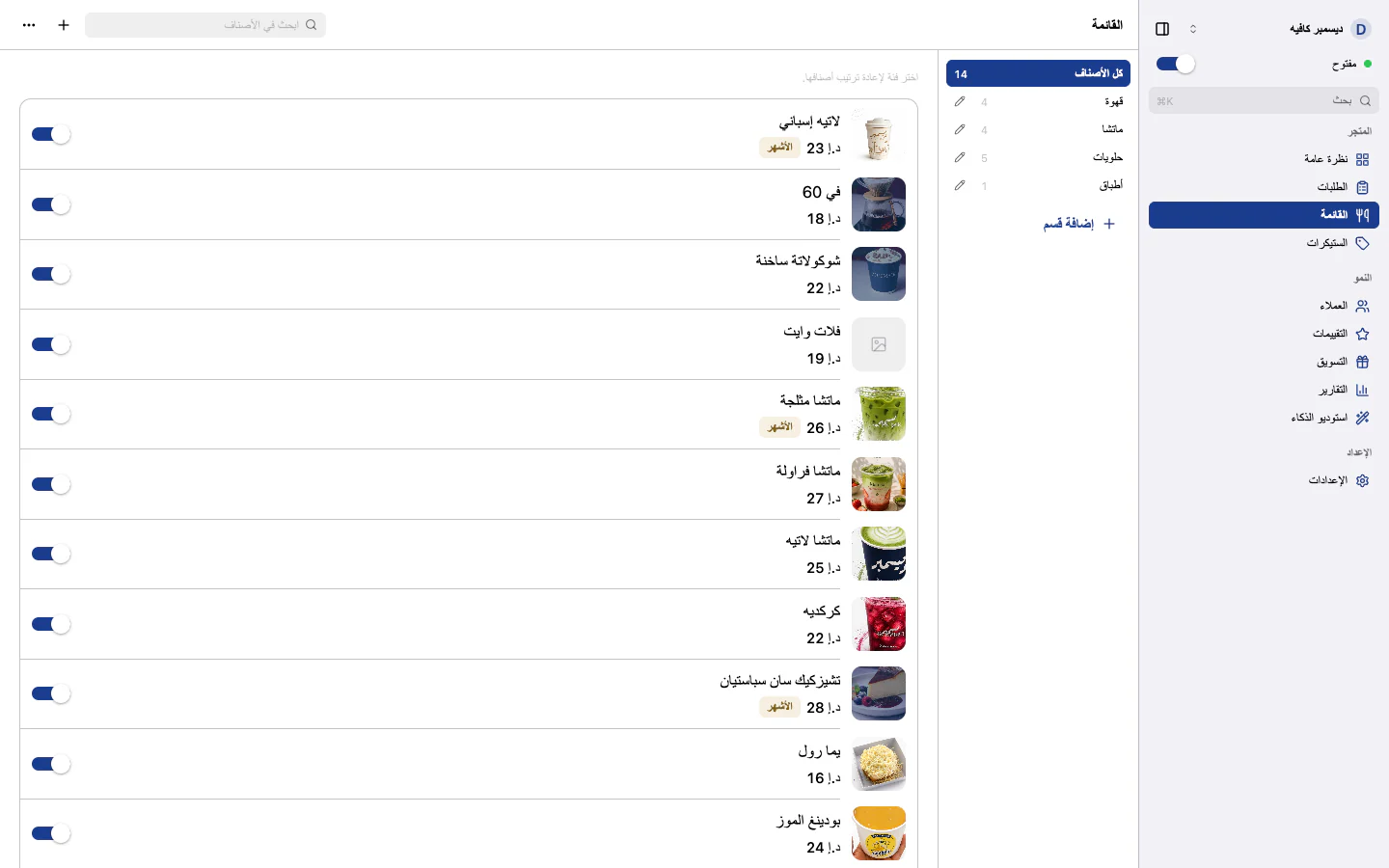
One Expo app for the browser, iPad and phone, where owners and staff run live orders, the menu, stickers, customers and reports. Shown with a demo store and test orders.
- Live order board with accept or decline, overdue timers, print status and payment status
- Menu with categories, option groups, availability toggles and a bilingual item editor
- Customers, reviews with replies, promo codes, stamp-card rules and sales reports
- AI studio on Claude: descriptions, translations, price suggestions and menu import, all held for review
Counter staff
Sunmi POS
An Android app for the Sunmi handheld: staff accept orders, print a personalized sticker for the cup, bouquet or bag, and ring up walk-ins. Captured on an Android emulator with a demo store, so no printer is attached.
- Live queue grouped by stage, with a new-order sound and overdue timers
- Accept & prep prints the order's stickers; handing over prints the receipt
- Walk-in orders paid in cash or by card, with a scan of the customer's Barq code to add points
- Curbside arrivals with the car, plate and expected arrival time
Customers, stores and platform admins
Website
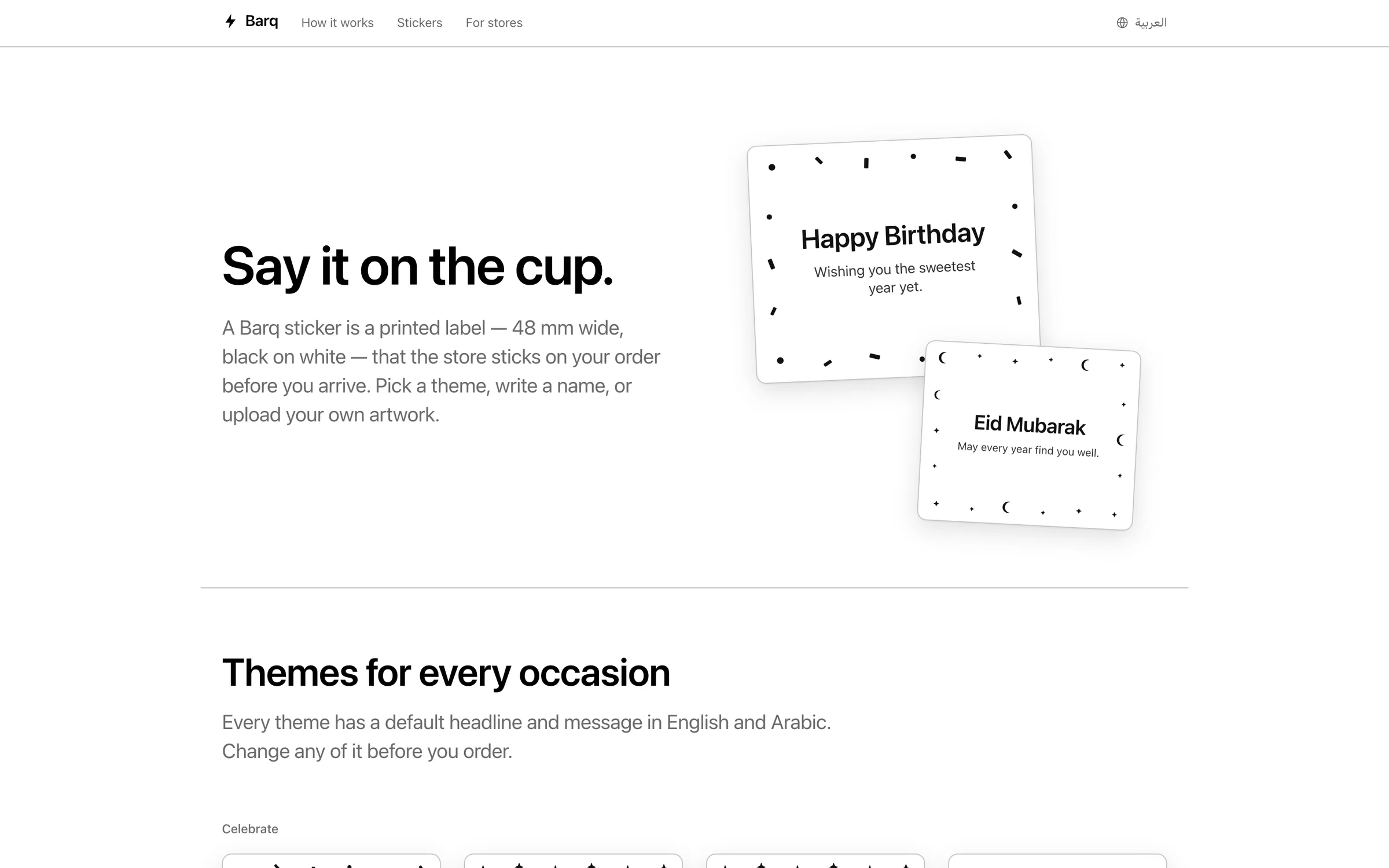
A Next.js site in English and Arabic that explains pickup, stickers and rewards, takes store applications and hosts the admin console. It is not deployed yet, its App Store and Google Play badges do not lead to live listings, and the app preview uses a demo store.
- Landing page, sticker gallery and a 'For stores' page with an application form
- Public store pages and shareable order links, with app deep links staged for launch
- Payment result pages, privacy policy, terms, and account deletion confirmed by a one-time code
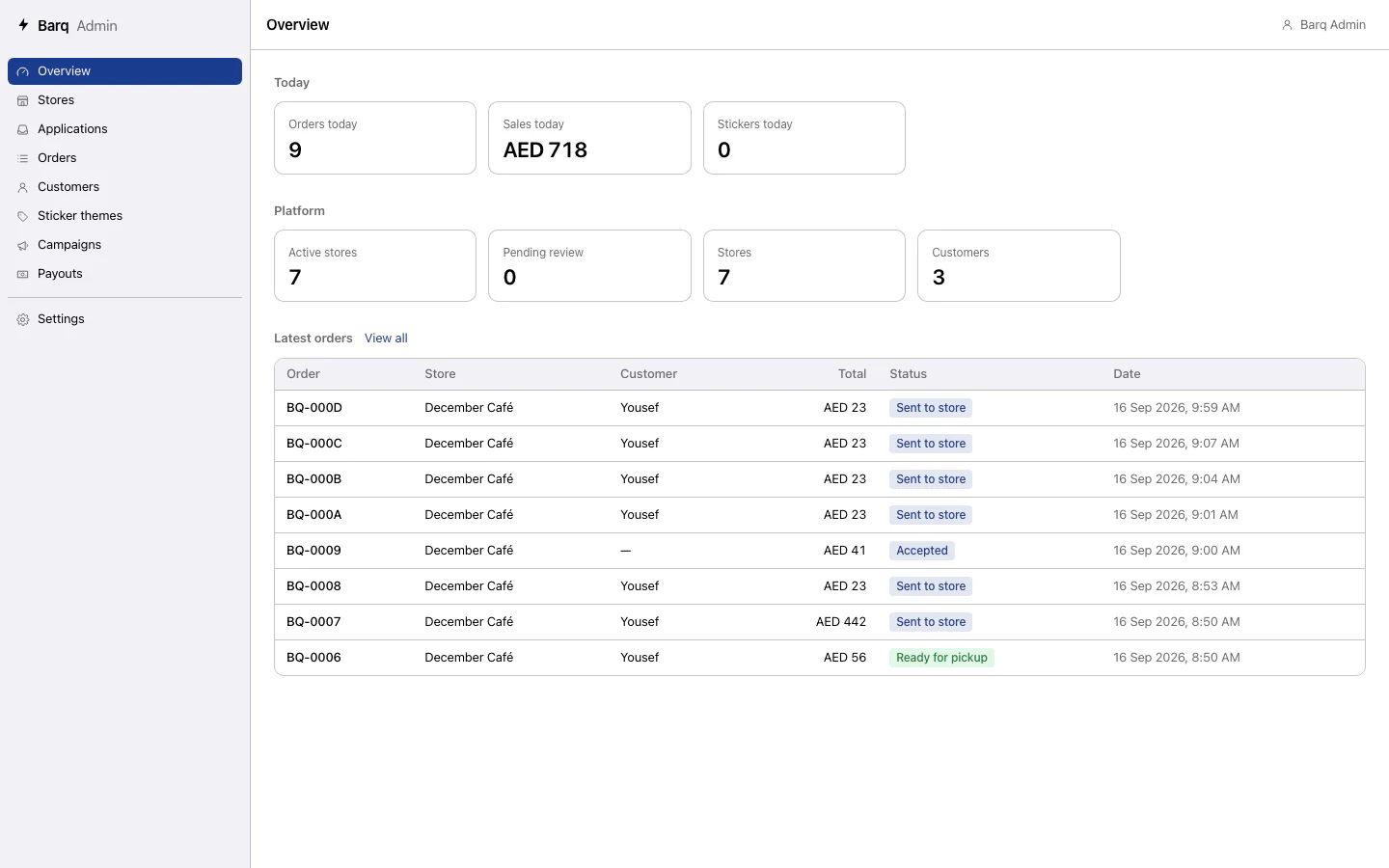
- Admin console: store applications, orders, customers, sticker themes, home-screen campaigns and platform settings
Stack
- TypeScript
- Expo SDK 57
- React Native 0.86
- Next.js 16
- Hono
- Prisma
- PostgreSQL
- WebSockets
- Kotlin
- Tailwind CSS 4
- Turborepo
- Vitest
Integrations
- Ziina hosted checkout
- Anthropic Claude
- Twilio Programmable Messaging
- Sunmi printer SDK
- Expo push notifications
- EAS Build